For training academies
Run your academy in its own words
Choose Academy when you set up. SideKrew then says groups, levels, terms, sessions and trainers, and leaves games, officials, travel and volunteers off until you turn them on.
You choose Academy on the first step of setup.
Who it’s for
Academies that train, not leagues
You run groups by level or birth year, term after term, with sessions every week instead of a season of games.
Owners who do the admin too
You coach, answer parents and keep the books, often on the same evening. SideKrew keeps registration, payments and the schedule in one place.
One trainer or a full staff
Start on your own and add trainers as you grow. Each trainer sees the groups and sessions they run.
What it takes off your plate
Real screens from our demo academy: the staff view on a laptop and a parent’s or a trainer’s phone.
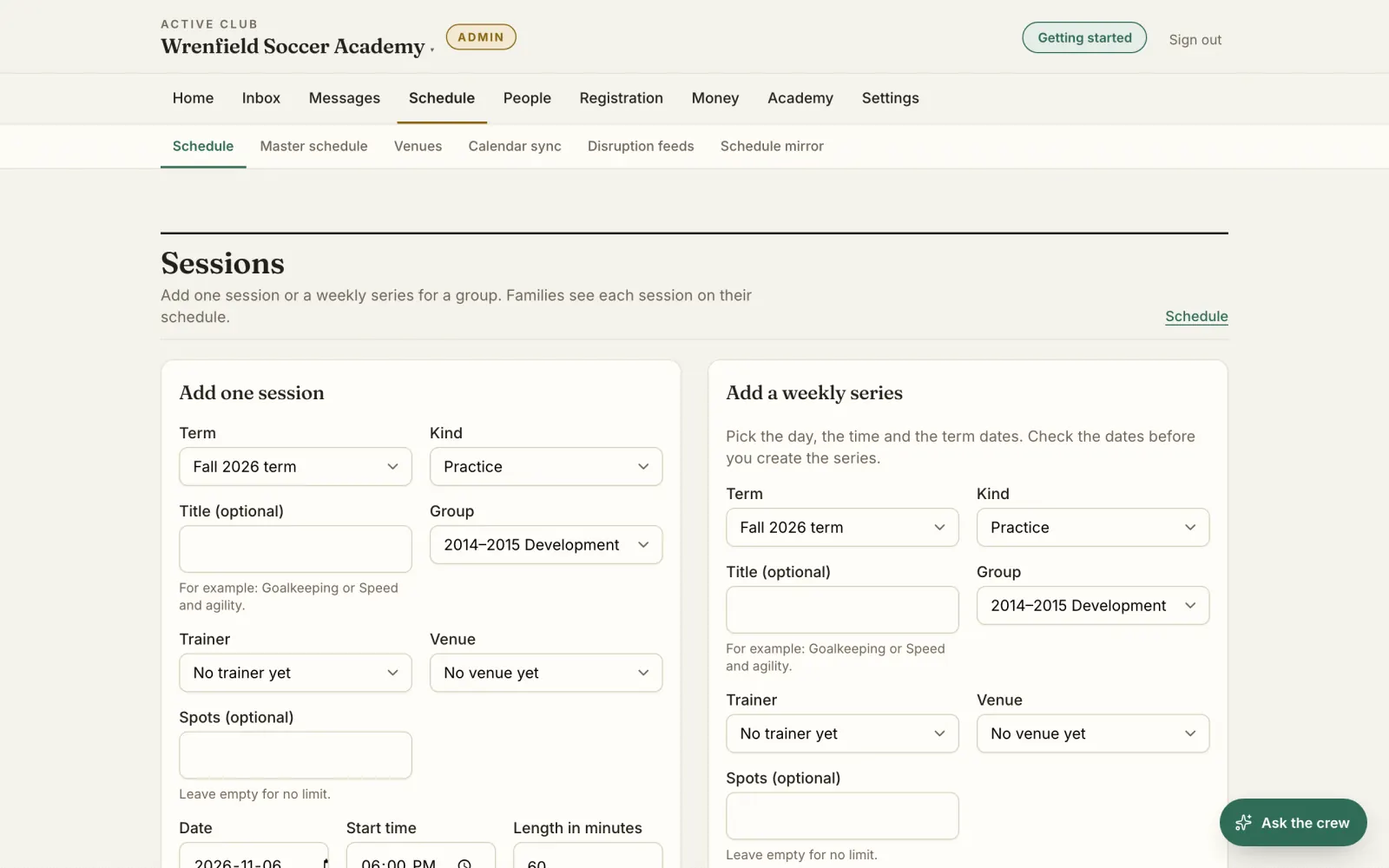
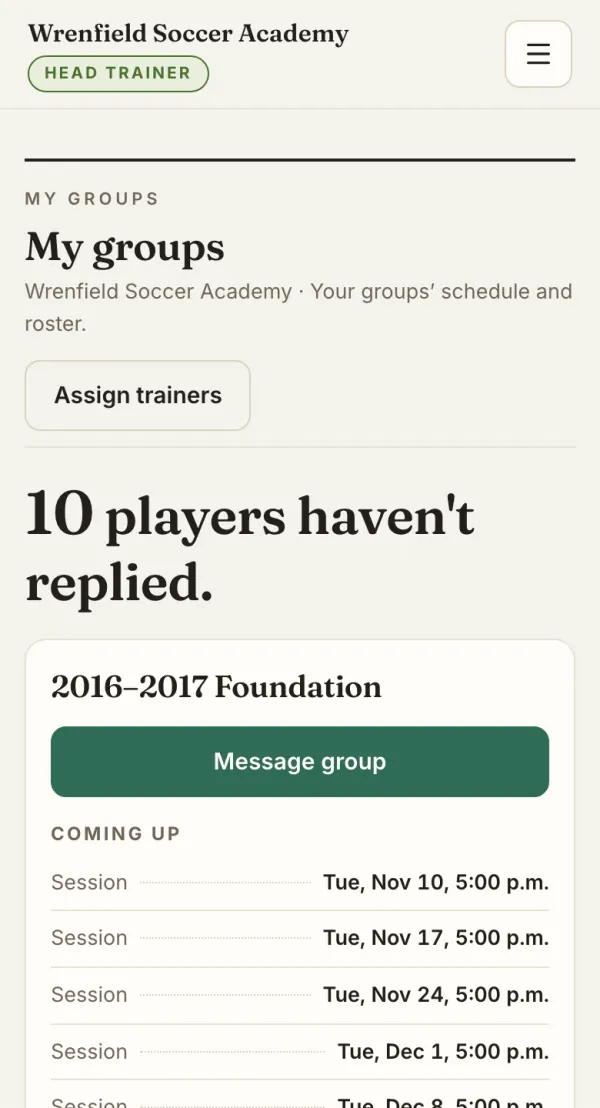
Sessions and weekly series
Add one session or a weekly series for a group. Check the dates first: how many, the first and the last, the dates left out and any clash. Then move or cancel one session, or that one and every later one.
The owner on a laptop, a head trainer on a phone.
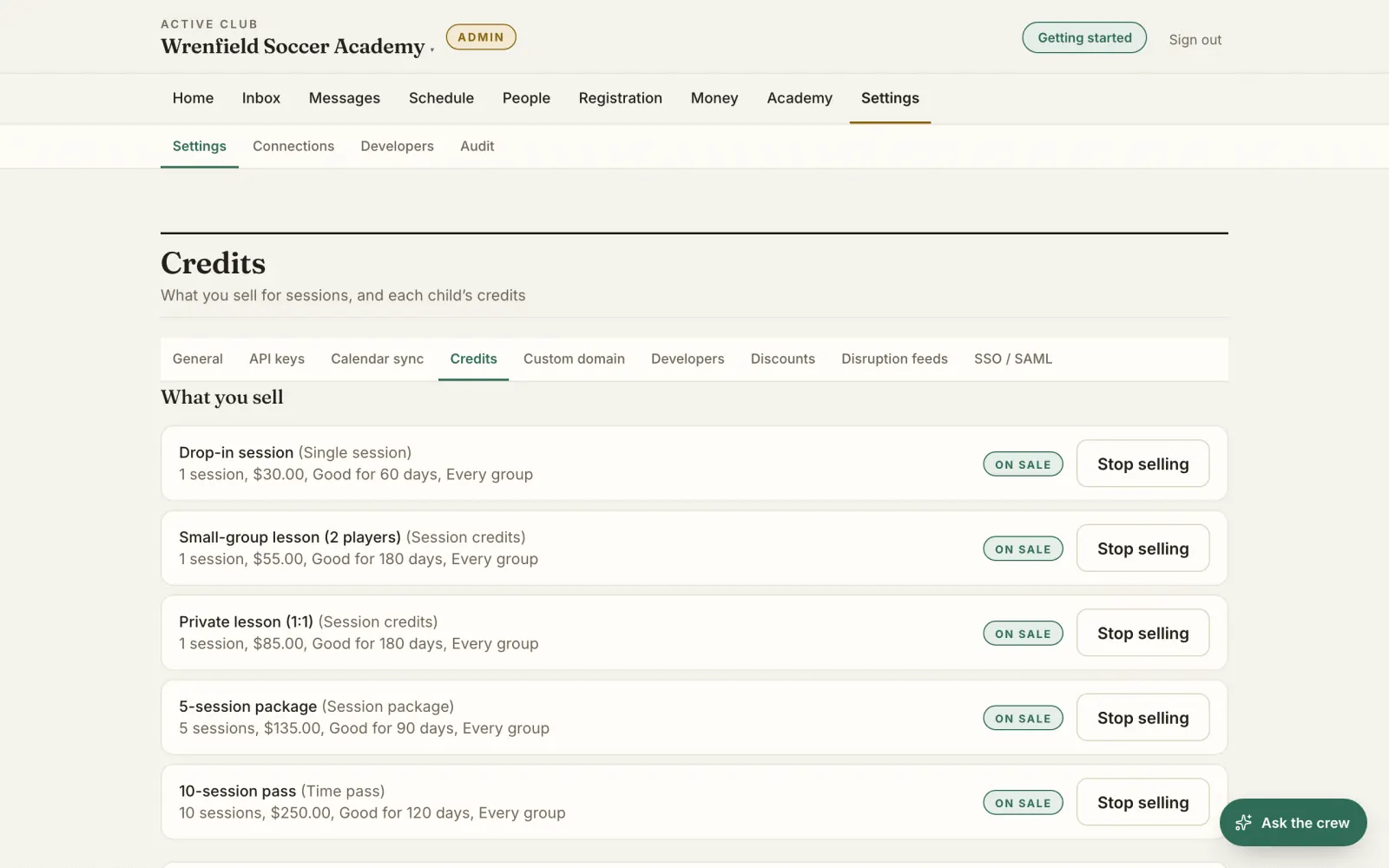
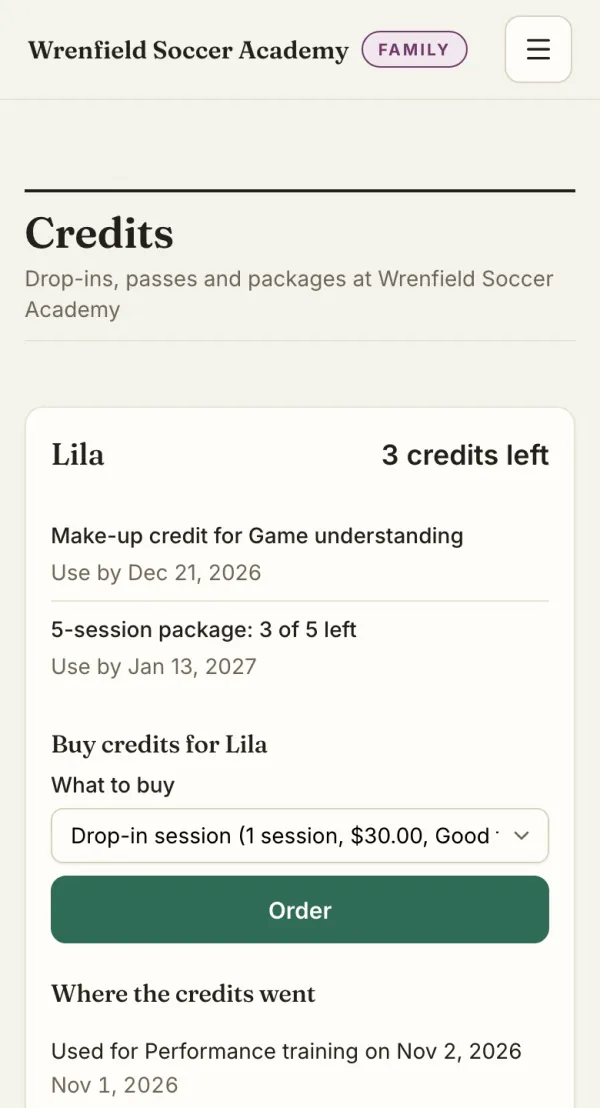
Drop-ins, packages and passes
Set what you sell: a single session, a session package or a time pass, each with its price and how long it’s good for. Parents buy credits by card for each child and see how many are left and until when.
The owner on a laptop, a parent on a phone.
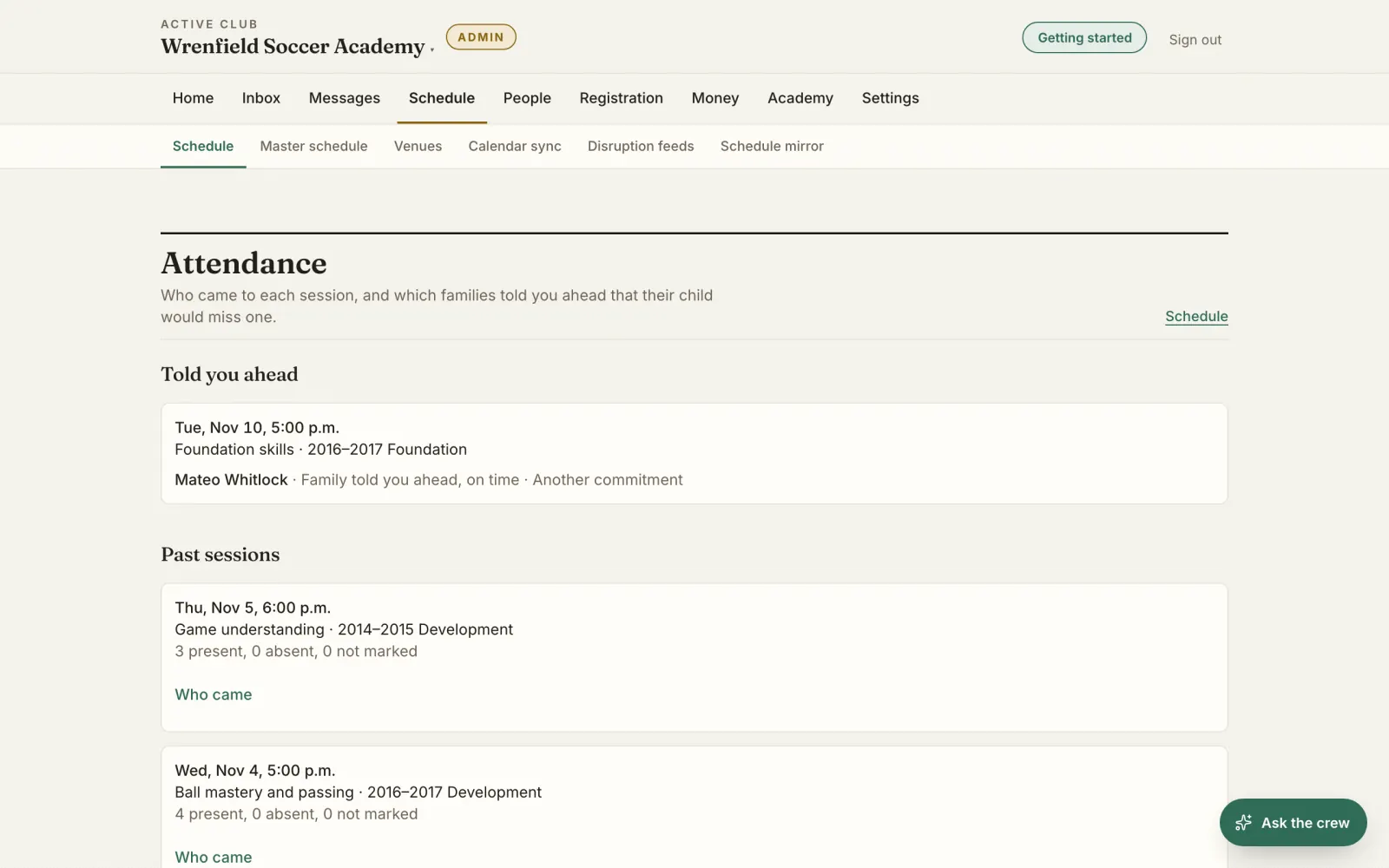
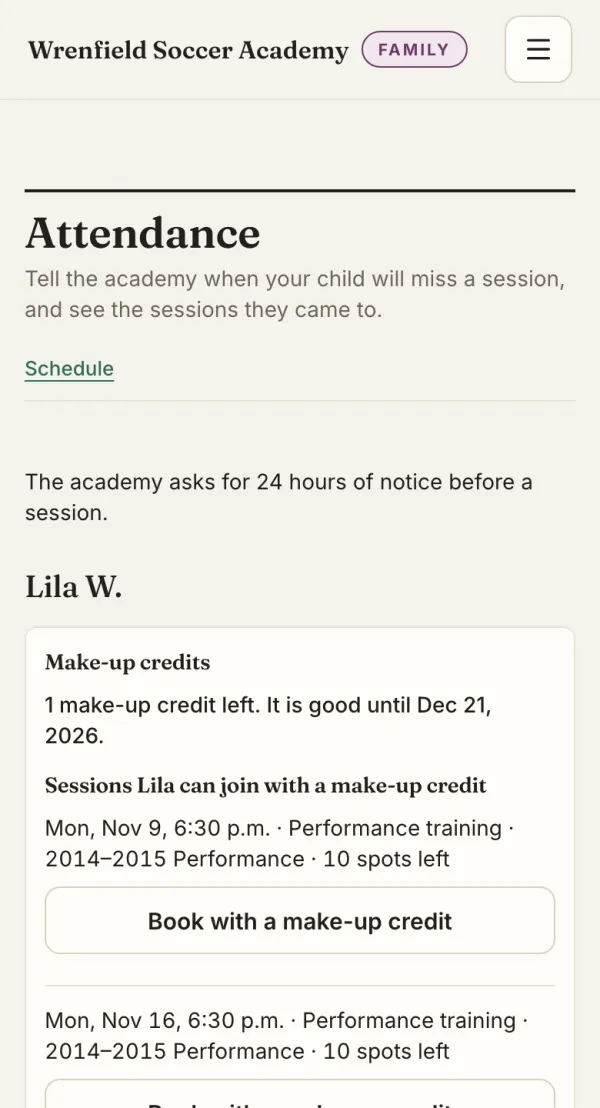
Attendance and absence notices
Trainers mark who came to each session. Parents tell you ahead when their child will miss one, and the trainers running that session get an email.
The owner on a laptop, a parent on a phone.
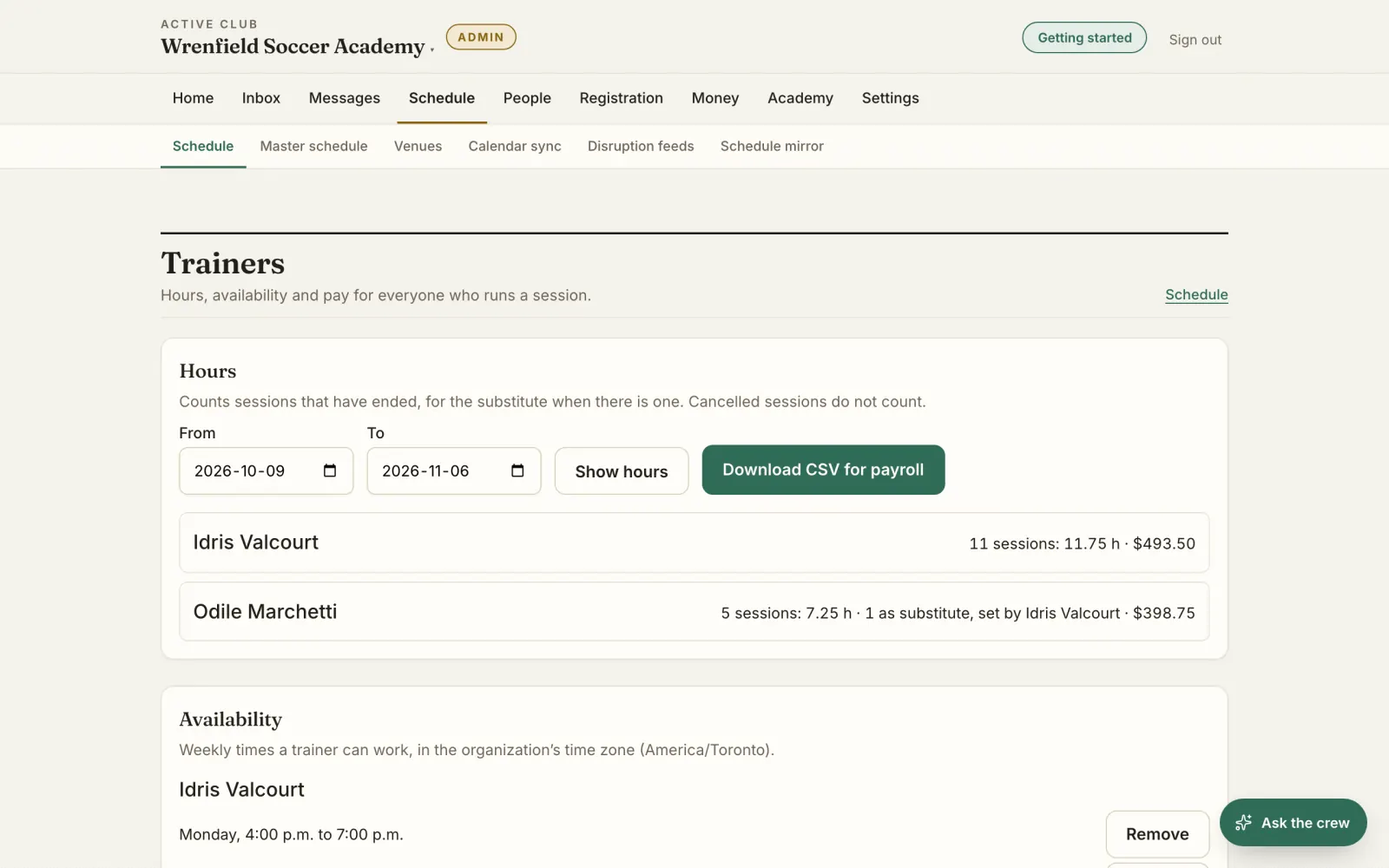
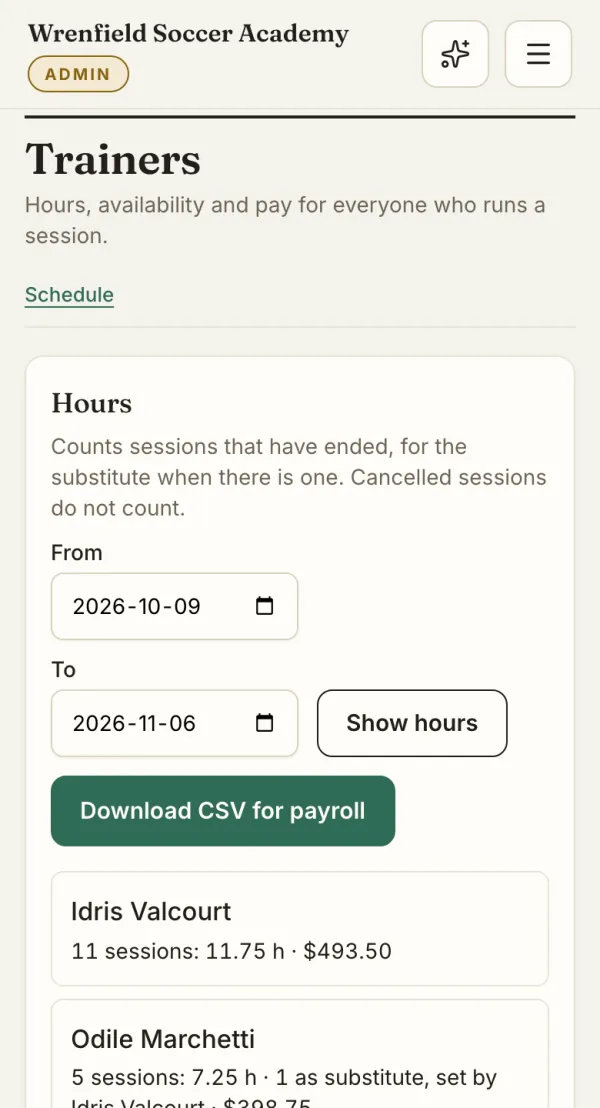
Trainers, a head trainer and payroll hours
Name a head trainer, keep each trainer’s weekly availability and pay rate, and set a substitute for a session. Hours come from the sessions each trainer ran, ready to download as a CSV for payroll. Only admins and the treasurer see pay.
The owner on a laptop and on a phone.
Evaluations parents read
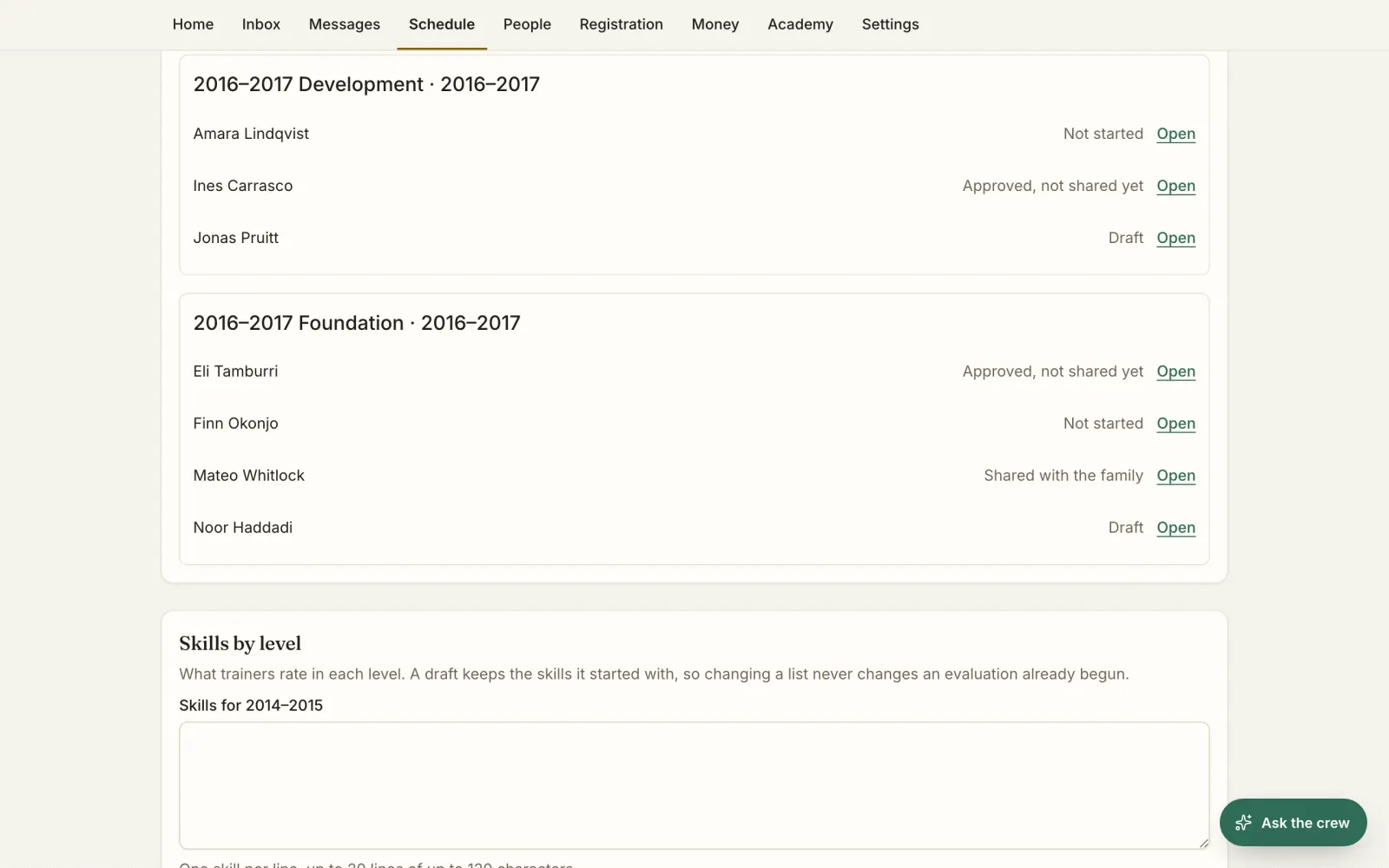
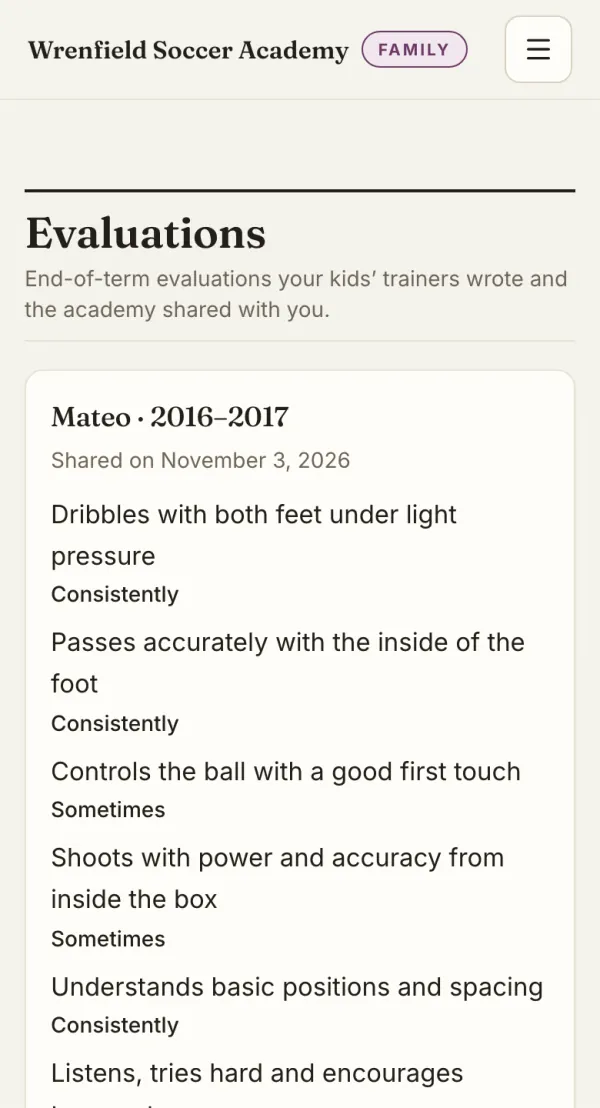
List the skills for each level. A trainer writes each child’s evaluation, the head trainer or an admin approves it, and you share it with the family when it’s ready.
The owner on a laptop, a parent on a phone.
Monthly payments by card
A family can pay for a pass every month by card, at the price they signed up for. They or you can stop it at any time. A month whose payment fails stays open for the family to pay.
Make-ups without the back-and-forth
A family who tells you in time gets a make-up credit, good for 60 days unless you choose otherwise, for a session at the same level with a spot left. When you cancel a session, each child gets a make-up or their credit back.
Private and small-group lessons
Set lesson lengths, prices by group size, a monthly limit for each child and how late a family can cancel. Parents book a lesson with a lesson credit and get it back when they cancel in time.
Built for how an academy runs
Academy is its own kind
Pick Academy when you create your organization, or switch to it later in Settings. Switching deletes nothing.
Your words, in English and French
Your menus and schedule say groups, levels, terms, sessions and trainers instead of teams, divisions, seasons, practices and coaches.
Only what you run
Games and competition, officials, travel and volunteers start off for an academy, and their pages leave the menu. Turn any of them on in Settings when you need it.
Your first term, ready
A new academy starts with the term that’s running now and levels named by birth year.
Plus what every club on SideKrew has
Registration and card payments
Families fill in your registration forms and pay by card online. Stripe pays the money out to your bank account, and SideKrew adds no fee.
The crew follows up
On Crew Starter and up, the Registration & Payment agent follows up with each family whose registration or payment isn’t finished, up to four reminders, then tells you who is left.
Free for families
Parents see their kids’ sessions, answer yes, maybe or no, and fill in forms and pay fees in one place. Families pay SideKrew nothing.
A chat for each group
Every group gets its own Team Chat next to the schedule, and trainers can post an announcement the whole group sees.
How to start
Sign up
Create your account with your email address.
Choose Academy
Then pick your sport and name your academy.
Your term is ready
SideKrew sets up the term running now and your levels.
Questions academies ask
What does SideKrew cost an academy?
Academies use the same plans and prices as clubs, and you can start free. Families pay SideKrew nothing.
We already use SideKrew as a club. Can we become an academy?
Yes, in Settings, once your club has no upcoming tournament, unsettled tournament entry or confirmed official assignment left. Switching deletes nothing: your groups, people and history stay.
Our players also play games. Can we still schedule them?
Yes. Games and competition start off for an academy. Turn them on in Settings and they come back to your menus.
Does it work in French?
Yes. SideKrew is in English and French, academy words included, and each person picks their own language.
What counts as a participant at an academy (camps, drop-ins)?
Academies have the same plans and prices as clubs. Your plan counts each athlete once if they have a complete registration with you, or one waiting only for payment, however many registrations they have, a camp included. A registration that isn’t complete or waiting for payment, such as one that’s started, waitlisted or withdrawn, doesn’t count.
Plans, prices and how participants are counted are on the pricing page. See pricing
Bring your academy to SideKrew
Start free. Academies use the same plans and prices as clubs.